DIST — Design, Installation, Support, Technology
Home
Services
Audiovisual & CollaborationConference Room AVVideo SystemsAudio SystemsControl & Automation
Managed IT & CloudManaged IT ServicesMicrosoft 365Cloud Solutions
Physical SecurityCCTV & SurveillanceAccess Control
Infrastructure & DeploymentLow-Voltage CablingNationwide Truck Rollouts
Projects
Locations
New York CityMiami
Resources
BlogInsights & industry updatesPress & MediaNews coverage & features
AboutContact
(212) 206-0794
DIST

Design, Installation, Support and Technology — integrated AV, IT and security solutions for businesses.

Audiovisual

  • Conference Room AV
  • Video Systems
  • Audio Systems
  • Control & Automation

IT & Security

  • Managed IT Services
  • Microsoft 365
  • Cloud Solutions
  • CCTV & Surveillance
  • Access Control

Company

  • About
  • Projects
  • Contact
  • Client information
  • Vendor information

Contact

  • (212) 206-0794
  • [email protected]
  • Mon–Fri 8:00 AM – 5:00 PM
  • 24/7 Help Desk Support
Ask AI about DISTGet an independent summary of who we are and what we do.
  • ChatGPT
  • Claude
  • Perplexity
  • Google AI
  • Grok
© 2026 DIST. All rights reserved.
  • Privacy Policy
  • Sitemap
Start a projectCall (212) 206-0794Email [email protected]
DIST — Design, Installation, Support, Technology
Home
Services
Audiovisual & CollaborationConference Room AVVideo SystemsAudio SystemsControl & Automation
Managed IT & CloudManaged IT ServicesMicrosoft 365Cloud Solutions
Physical SecurityCCTV & SurveillanceAccess Control
Infrastructure & DeploymentLow-Voltage CablingNationwide Truck Rollouts
Projects
Locations
New York CityMiami
Resources
BlogInsights & industry updatesPress & MediaNews coverage & features
AboutContact
(212) 206-0794
DIST

Design, Installation, Support and Technology — integrated AV, IT and security solutions for businesses.

Audiovisual

  • Conference Room AV
  • Video Systems
  • Audio Systems
  • Control & Automation

IT & Security

  • Managed IT Services
  • Microsoft 365
  • Cloud Solutions
  • CCTV & Surveillance
  • Access Control

Company

  • About
  • Projects
  • Contact
  • Client information
  • Vendor information

Contact

  • (212) 206-0794
  • [email protected]
  • Mon–Fri 8:00 AM – 5:00 PM
  • 24/7 Help Desk Support
Ask AI about DISTGet an independent summary of who we are and what we do.
  • ChatGPT
  • Claude
  • Perplexity
  • Google AI
  • Grok
© 2026 DIST. All rights reserved.
  • Privacy Policy
  • Sitemap
Start a projectCall (212) 206-0794Email [email protected]
Skip to content
DIST — Design, Installation, Support, Technology
Home
Services
Audiovisual & CollaborationConference Room AVVideo SystemsAudio SystemsControl & Automation
Managed IT & CloudManaged IT ServicesMicrosoft 365Cloud Solutions
Physical SecurityCCTV & SurveillanceAccess Control
Infrastructure & DeploymentLow-Voltage CablingNationwide Truck Rollouts
Projects
Locations
New York CityMiami
Resources
BlogInsights & industry updatesPress & MediaNews coverage & features
AboutContact
(212) 206-0794
Home/Blog/CONFERENCE
CONFERENCE

How Professional Camera Placement Improves Meeting Presence

Ryan HadleyRyan HadleyLV Project Designer/ Programmer at DISTPublished Nov 27, 2025

Table of contents

  • What Good Camera Placement Solves
  • Best Practices for Meeting Room Camera Setup

Table of contents

  • What Good Camera Placement Solves
  • Best Practices for Meeting Room Camera Setup

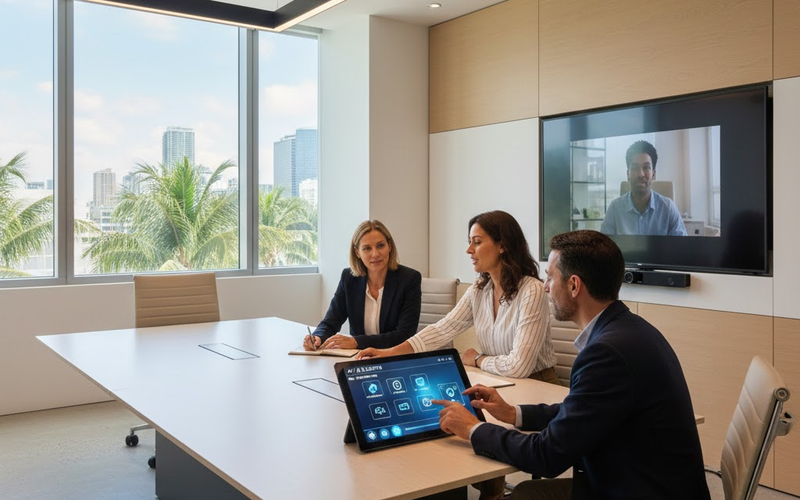
Camera placement plays a critical role in how participants are perceived during video meetings. Poor angles can make speakers look distant, awkward, or poorly lit, reducing engagement and professionalism. A properly designed meeting room camera setup ensures clear visuals, natural eye contact, and a stronger presence for both in room and remote participants. Professional camera placement helps businesses create more effective and confident video conferencing experiences.

What Good Camera Placement Solves

Proper conference room camera placement ensures faces appear clear, well framed, and natural on screen. It allows speaker tracking systems to function accurately, keeps presenters centered, and helps remote teams feel more connected during meetings. A well positioned camera also improves overall business video conferencing quality and reduces distractions caused by awkward angles. Camera position is one decision inside a broader conference room AV setup.

Best Practices for Meeting Room Camera Setup

  • Place the camera at eye level
  • Ensure proper lighting direction
  • Keep the lens centered with the table
  • Avoid placing cameras beside displays

Contact Support305 today for a free consultation and ensure your teams always look confident and professional on camera.We help businesses across Miami and South Florida design professional meeting room camera setups that elevate video conferencing quality.
Explore More Blogs

Discover more insights and tips from our latest articles

ImgIT SOLUTIONSDec 21, 2025

Why Every Office Needs a Professional Network Audit in 2025

A professional network audit uncovers performance issues, security risks, and outdated configurations before they disrupt your business operations.

Bryant VasquezBryant VasquezChief Technology Officer at DISTRead article
High Resolution LED Wall for Team CollaborationAUDIO/VISUALNov 8, 2025

How High-Resolution LED Walls Transform Team Collaboration in SouthFlorida

Discover how high-resolution LED walls are revolutionizing team collaboration and meeting experiences for businesses across South Florida, enhancing productivity and engagement.

Ryan HadleyRyan HadleyLV Project Designer/ Programmer at DISTRead article
 A Miami office with smart lights, automated AV controls, and employees interacting with a digital meeting room control panel.CONFERENCEJan 25, 2026

Why Smart Offices Are Becoming the Standard in Miami

Miami businesses are adopting smart office technology and office AV systems to boost collaboration, automate operations, and improve workplace efficiency.

Ryan HadleyRyan HadleyLV Project Designer/ Programmer at DISTRead article
DIST

Design, Installation, Support and Technology — integrated AV, IT and security solutions for businesses.

Audiovisual

  • Conference Room AV
  • Video Systems
  • Audio Systems
  • Control & Automation

IT & Security

  • Managed IT Services
  • Microsoft 365
  • Cloud Solutions
  • CCTV & Surveillance
  • Access Control

Company

  • About
  • Projects
  • Contact
  • Client information
  • Vendor information

Contact

  • (212) 206-0794
  • [email protected]
  • Mon–Fri 8:00 AM – 5:00 PM
  • 24/7 Help Desk Support
Ask AI about DISTGet an independent summary of who we are and what we do.
  • ChatGPT
  • Claude
  • Perplexity
  • Google AI
  • Grok
© 2026 DIST. All rights reserved.
  • Privacy Policy
  • Sitemap
Start a projectCall (212) 206-0794Email [email protected]